
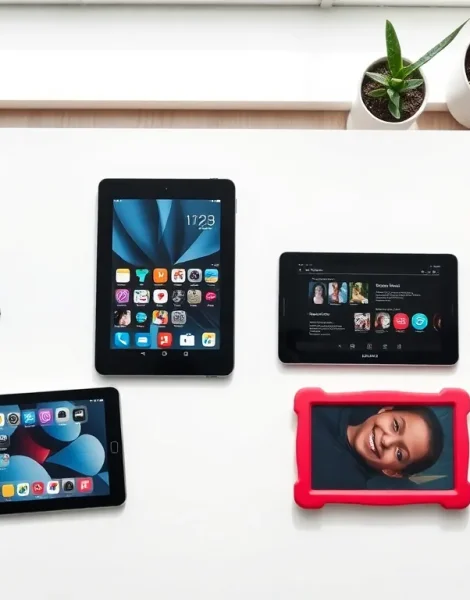
Tablets examples span a wide range of devices, from everyday consumer models to specialized professional tools. The tablet market has expanded significantly, offering options for nearly every use case and budget. Whether someone needs a device for streaming movies, running business applications, or helping children learn, there’s a tablet designed for that purpose.
This guide breaks down tablets examples across five main categories: consumer, professional, budget, gaming, and educational. Each category features distinct devices with specific strengths. Understanding these differences helps buyers make informed decisions based on their actual needs rather than marketing hype.
Table of Contents
ToggleKey Takeaways
- Tablets examples span five main categories: consumer, professional, budget, gaming, and educational—each serving distinct user needs.
- Consumer tablets like the Apple iPad and Samsung Galaxy Tab S9 offer reliable performance for everyday tasks such as streaming, browsing, and light productivity.
- Professional tablets like the iPad Pro (M4) and Microsoft Surface Pro 9 deliver laptop-class performance for creative work and business applications.
- Budget tablets examples, including the Amazon Fire HD 8 and Samsung Galaxy Tab A9+, provide essential functionality for under $200.
- Gaming tablets require powerful processors and high-refresh-rate displays, with options like the Lenovo Legion Tab offering up to 144Hz screens.
- Educational tablets prioritize durability, parental controls, and learning content, making devices like Amazon Fire HD Kids ideal for children.
Consumer Tablets for Everyday Use
Consumer tablets represent the largest segment of the market. These devices handle daily tasks like web browsing, video streaming, social media, and light productivity work.
The Apple iPad (10th generation) stands as one of the most popular tablets examples in this category. It features a 10.9-inch Liquid Retina display, A14 Bionic chip, and runs iPadOS. Users appreciate its smooth performance, extensive app library, and long battery life. The starting price sits around $449, making it accessible for most households.
The Samsung Galaxy Tab S9 offers an Android alternative with a Dynamic AMOLED 2X display. Samsung includes an S Pen stylus in the box, which adds value for note-taking and drawing. The Snapdragon 8 Gen 2 processor delivers fast performance for multitasking. This tablet starts at approximately $799.
For those invested in the Amazon ecosystem, the Amazon Fire HD 10 provides solid performance at a lower cost. It integrates seamlessly with Alexa voice commands, Prime Video, and Kindle services. At roughly $140, it serves as an entry point into the tablets examples market.
These consumer tablets share common traits: reliable performance, good displays, and broad app support. They suit users who want a general-purpose device without specialized requirements.
Professional and Business Tablets
Professional tablets prioritize productivity features, security, and compatibility with business software. These tablets examples target enterprise users, creative professionals, and remote workers.
The Apple iPad Pro (M4) leads this category with its M4 chip, delivering laptop-class performance. The 11-inch and 13-inch models feature OLED displays with ProMotion technology. Creative professionals use it with the Apple Pencil Pro for digital illustration, photo editing, and video production. Prices start at $999 for the smaller model.
The Microsoft Surface Pro 9 functions as both a tablet and a laptop replacement. It runs full Windows 11, giving users access to desktop applications like Microsoft Office, Adobe Creative Suite, and specialized business software. The detachable keyboard and kickstand transform it for different work scenarios. This device starts around $999.
The Samsung Galaxy Tab S9 Ultra appeals to Android-focused professionals. Its massive 14.6-inch display provides ample screen space for document editing, video conferencing, and presentations. Samsung DeX mode offers a desktop-like interface. Pricing begins at approximately $1,199.
Business tablets often include features like fingerprint sensors, facial recognition, and enterprise management support. IT departments can deploy and secure these tablets examples across organizations efficiently.
Budget-Friendly Tablet Options
Budget tablets prove that useful devices don’t require large investments. These tablets examples deliver core functionality at accessible price points.
The Amazon Fire HD 8 costs around $99 and handles basic tasks competently. Users can browse the web, stream videos, read ebooks, and check email. The 8-inch display makes it portable, and battery life reaches approximately 13 hours.
The Samsung Galaxy Tab A9+ offers an Android experience under $200. It features an 11-inch LCD display, expandable storage, and access to the Google Play Store. Performance handles everyday apps without significant slowdowns.
The Lenovo Tab M10 Plus (3rd Gen) provides a 10.6-inch 2K display at roughly $180. Dual speakers with Dolby Atmos support make it suitable for media consumption. It runs stock Android, which means fewer pre-installed apps and a cleaner interface.
Buyers considering budget tablets examples should set realistic expectations. These devices handle basic productivity and entertainment well. But, they may struggle with demanding games, professional creative work, or heavy multitasking. For students, casual users, and those testing whether a tablet fits their lifestyle, budget options make practical choices.
Gaming and Entertainment Tablets
Gaming tablets require powerful processors, high-refresh-rate displays, and quality speakers. These tablets examples cater to mobile gamers and media enthusiasts.
The Apple iPad Pro (M4) again appears here due to its gaming capabilities. The M4 chip handles graphically intensive games smoothly. Apple Arcade provides access to premium games without ads or in-app purchases. The ProMotion display supports up to 120Hz refresh rates, reducing motion blur during fast gameplay.
The Samsung Galaxy Tab S9+ delivers excellent gaming performance on Android. Its 12.4-inch Dynamic AMOLED 2X display produces vibrant colors and deep blacks. The 120Hz refresh rate matches iOS competitors. Xbox Cloud Gaming and NVIDIA GeForce NOW work well on this device.
The Lenovo Legion Tab targets serious mobile gamers specifically. It features a Snapdragon 8+ Gen 1 processor, 8.8-inch 144Hz display, and dual USB-C ports for charging while playing. Built-in gaming modes optimize performance and reduce distractions. This tablet costs approximately $500.
Entertainment-focused users should also consider audio quality when reviewing tablets examples. The iPad Pro features a four-speaker system, while Samsung tablets support Dolby Atmos. These features enhance movie watching and music listening experiences significantly.
Educational Tablets for Students and Children
Educational tablets serve two distinct groups: students who need study tools and young children learning foundational skills. These tablets examples emphasize durability, parental controls, and learning-focused content.
The Apple iPad (9th generation) remains popular in schools due to its $329 starting price and educational app ecosystem. Many schools deploy these devices through Apple’s education programs. Students use them for research, note-taking, and accessing digital textbooks.
The Amazon Fire HD Kids tablets come designed specifically for children aged 3-12. They include a protective case, two-year worry-free guarantee, and one year of Amazon Kids+ subscription. Parents control screen time, content access, and usage hours through the Parent Dashboard. The Fire HD 10 Kids edition costs around $190.
The Samsung Galaxy Tab A7 Lite works well for older students on a budget. At approximately $160, it provides access to educational apps, video calling for remote learning, and basic productivity tools.
Chromebook tablets like the Lenovo Duet offer another option for students. These devices run Chrome OS, integrate with Google Classroom, and cost around $300. They handle web-based learning platforms efficiently.
When selecting educational tablets examples, buyers should consider the specific learning environment. School-issued devices may require particular operating systems or management capabilities. Home learning devices benefit from parental controls and age-appropriate content filters.


