
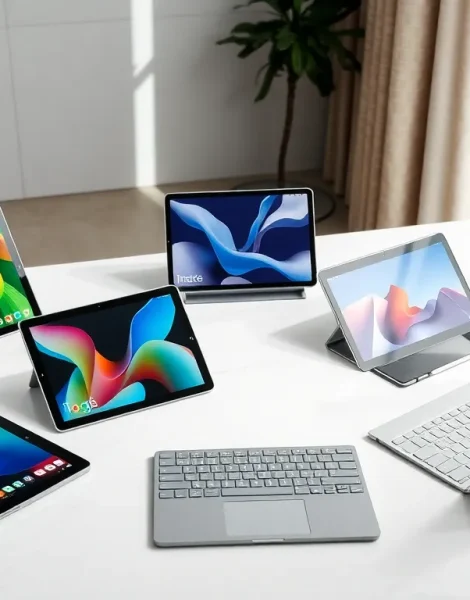
Finding the top tablets in 2025 can feel overwhelming. The market offers dozens of options at every price point, and manufacturers release new models constantly. Some tablets excel at productivity, while others prioritize entertainment or portability. This guide breaks down the best tablets available right now, covering everything from premium powerhouses to budget-friendly options. Whether someone needs a device for work, streaming, or creative projects, they’ll find solid recommendations here.
Table of Contents
ToggleKey Takeaways
- The iPad Pro (M4) leads the top tablets for professionals, while the Samsung Galaxy Tab S9 Ultra offers the best Android experience for power users.
- Budget-conscious buyers can find excellent value with the iPad 10th generation ($349) or Samsung Galaxy Tab A9+ ($270) without sacrificing everyday performance.
- Display quality, processor performance, and battery life are the three most critical features when comparing top tablets in 2025.
- Consider your existing device ecosystem—iPhone users benefit most from iPads, while Samsung phone owners enjoy seamless Galaxy tablet integration.
- Factor in accessory costs like keyboards and styluses, which can add $100–$300 to your total tablet investment.
- Apple provides 5-6 years of software updates for iPads, while Samsung now offers four years of OS support for flagship tablets.
What to Look for in a Tablet
Before diving into specific top tablets, buyers should understand the key features that matter most.
Display Quality
Screen size typically ranges from 8 to 13 inches. Larger displays work better for productivity and media consumption. Resolution matters too, look for at least 1920×1080 pixels for sharp text and images. Some premium tablets offer OLED panels with deeper blacks and vibrant colors.
Processor Performance
The chip inside determines how smoothly apps run. Apple’s M-series chips and Qualcomm’s Snapdragon processors lead the pack in 2025. For basic tasks like web browsing and email, mid-range processors work fine. Heavy multitasking and video editing demand more powerful hardware.
Battery Life
Most modern tablets deliver 8 to 12 hours of use per charge. This matters especially for travelers or students who can’t always find an outlet. Check real-world battery tests rather than manufacturer claims.
Storage Options
Tablets typically start at 64GB or 128GB. Power users who store large files, games, or creative projects should consider 256GB or higher. Some tablets support expandable storage via microSD cards.
Operating System
The three main choices are iPadOS, Android, and Windows. iPadOS offers the smoothest tablet experience with excellent app optimization. Android provides more flexibility and customization. Windows tablets function more like laptops and run desktop software.
Best Tablets for Different Needs
Premium Options for Power Users
The iPad Pro (M4) stands as the top tablet for professionals in 2025. Its M4 chip handles video editing, 3D rendering, and demanding creative work with ease. The 12.9-inch Liquid Retina XDR display delivers stunning visuals. Face ID, Thunderbolt connectivity, and Apple Pencil Pro support round out the package. Prices start around $1,099.
The Samsung Galaxy Tab S9 Ultra offers the best Android experience for power users. Its 14.6-inch AMOLED screen is massive, ideal for split-screen multitasking. The Snapdragon 8 Gen 2 processor keeps everything running smoothly. Samsung’s DeX mode transforms the tablet into a desktop-like environment. Expect to pay around $1,199.
For those who need Windows, the Microsoft Surface Pro 10 delivers laptop-level performance in tablet form. Intel Core Ultra processors handle productivity tasks efficiently. The kickstand and detachable keyboard make it versatile for different work styles.
Budget-Friendly Picks
Not everyone needs a $1,000 device. Several top tablets deliver excellent value under $500.
The iPad (10th generation) costs around $349 and handles everyday tasks beautifully. It runs the latest iPadOS, supports Apple Pencil, and features a modern design with USB-C. For most people, this tablet covers all the bases.
The Samsung Galaxy Tab A9+ offers solid Android performance for about $270. Its 11-inch display, decent speakers, and long battery life make it perfect for students and casual users.
Amazon’s Fire Max 11 provides surprising value at $229. It works best within Amazon’s ecosystem but handles streaming, reading, and basic productivity without issues.
Tablets for Entertainment and Media
Some buyers primarily want a tablet for watching movies, playing games, or reading. These top tablets excel at entertainment.
The iPad Air (M2) hits a sweet spot between price and performance. Its 10.9-inch Liquid Retina display produces accurate colors and smooth motion. The M2 chip handles graphically intensive games without lag. Stereo speakers in landscape mode enhance the viewing experience. At around $599, it offers premium entertainment features without the Pro price tag.
For Android fans, the Samsung Galaxy Tab S9 delivers excellent media consumption. Its 11-inch AMOLED display produces deep blacks and punchy colors perfect for HDR content. The quad-speaker setup tuned by AKG sounds impressive for a tablet. It also supports Samsung’s gaming features and controller connectivity.
The OnePlus Pad 2 deserves mention as a strong entertainment option. Its 12.1-inch display with 144Hz refresh rate makes scrolling and gaming feel incredibly smooth. Dolby Vision and Dolby Atmos support enhance movies and shows. Priced around $549, it competes well with more expensive alternatives.
Readers might prefer the Amazon Kindle Scribe for books and note-taking. Its 10.2-inch E Ink display causes less eye strain during long reading sessions. The included pen allows margin notes directly on ebooks.
How to Choose the Right Tablet for You
Selecting from the top tablets requires honest assessment of personal needs and budget.
Define the Primary Use Case
Someone who mainly watches Netflix and browses social media doesn’t need a $1,000 device. An iPad (10th generation) or Galaxy Tab A9+ handles these tasks perfectly. Creative professionals and business users benefit from the extra power of premium models.
Consider the Ecosystem
Existing device ownership matters. iPhone users gain seamless integration with iPads through features like Handoff, Universal Clipboard, and iMessage. Samsung phone owners enjoy similar connectivity with Galaxy tablets. Switching ecosystems means losing some convenience.
Think About Accessories
Many tablets become more useful with keyboards, styluses, or cases. Factor these costs into the total budget. Apple Pencil costs $129, and the Magic Keyboard runs $299 or more. Samsung and third-party accessories often cost less.
Check Longevity
Apple supports iPads with software updates for 5-6 years typically. Android tablets vary by manufacturer, but Samsung now promises four years of OS updates for flagship models. Longer support means better value over time.
Read Current Reviews
Tablet performance can change with software updates. A device that launched with bugs might run beautifully six months later. Check recent user feedback before purchasing any of the top tablets mentioned here.


