
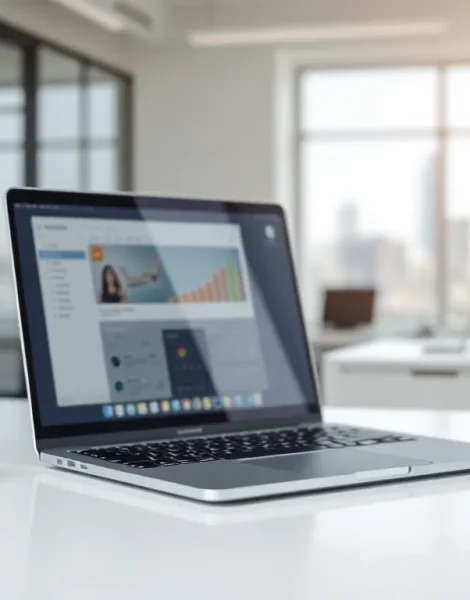
A laptop is a portable computer that combines a screen, keyboard, and processing power into a single, compact device. Unlike desktop computers, laptops run on battery power and fit easily into a backpack or briefcase. This makes them ideal for work, school, travel, and entertainment.
Laptops have become essential tools in modern life. Students use them for research and assignments. Professionals rely on them for presentations and remote work. Gamers enjoy high-performance models designed for immersive play. With so many options available, understanding what laptops offer helps buyers make informed decisions.
This guide explains what laptops are, how they work, and what features matter most. It covers the differences between laptops and desktops, breaks down key internal components, and explores the most common laptop types on the market today.
Table of Contents
ToggleKey Takeaways
- Laptops are portable computers that combine a screen, keyboard, and processing power into one compact device, making them ideal for work, school, and travel.
- Unlike desktops, laptops run on battery power and offer mobility, though desktops typically provide more raw power and easier upgradability.
- Key laptop components include the processor (CPU), RAM, storage drive (SSD or HDD), display, graphics card, and battery—each affecting performance and capability.
- Laptops come in various types including ultrabooks, gaming laptops, business laptops, Chromebooks, 2-in-1 convertibles, and workstations, each designed for specific needs.
- When choosing a laptop, consider your primary use, budget, screen size, battery life, and build quality to find the best match for your needs.
- Compare multiple laptop models and read professional and user reviews before purchasing to ensure long-term satisfaction.
How Laptops Differ From Desktop Computers
Laptops and desktops serve similar purposes, but they differ in several important ways. The most obvious difference is portability. A laptop integrates all components into one unit, while a desktop requires a separate monitor, keyboard, mouse, and tower.
Size and Weight
Laptops weigh between 2 and 8 pounds on average. Desktop towers can weigh 20 pounds or more, not counting monitors and peripherals. This weight difference makes laptops practical for users who move between locations frequently.
Power and Performance
Desktops typically offer more raw power than laptops at the same price point. They use larger cooling systems and draw more electricity, which allows for faster processors and better graphics cards. But, modern laptops have closed this gap significantly. Many high-end laptops now match desktop performance for most tasks.
Upgradability
Desktop computers allow easier upgrades. Users can swap out graphics cards, add RAM, or install new storage drives with minimal effort. Laptops offer limited upgrade options. Some models allow RAM and storage upgrades, but processors and graphics chips are usually soldered to the motherboard.
Battery Power
Laptops run on rechargeable batteries. This feature lets users work without access to electrical outlets. Desktops require constant power from a wall socket. During power outages, desktops shut down immediately unless connected to a backup power supply.
For users who need flexibility and mobility, laptops provide clear advantages. Those who prioritize maximum performance and customization often prefer desktops.
Key Components Inside Every Laptop
Understanding laptop components helps buyers evaluate different models. Every laptop contains several core parts that determine its speed, storage capacity, and overall capability.
Processor (CPU)
The processor handles all computing tasks. It executes instructions from programs and manages data flow between components. Intel and AMD manufacture the most common laptop processors. Faster processors complete tasks more quickly, but they also generate more heat and consume more battery power.
Memory (RAM)
RAM stores data that the processor needs to access quickly. More RAM allows laptops to run multiple programs simultaneously without slowing down. Most laptops ship with 8GB to 16GB of RAM. Power users and professionals often need 32GB or more.
Storage Drive
Laptops use either solid-state drives (SSDs) or hard disk drives (HDDs) to store files permanently. SSDs read and write data faster than HDDs. They also lack moving parts, which makes them more durable. Most modern laptops use SSDs due to their speed advantages.
Display
Laptop screens range from 11 inches to 17 inches diagonally. Screen resolution affects image clarity. Full HD (1920×1080) displays work well for most users. Creative professionals often prefer 4K displays for sharper detail.
Graphics Card (GPU)
The graphics card renders images, videos, and games. Integrated graphics share memory with the CPU and handle basic visual tasks. Dedicated graphics cards have their own memory and deliver better performance for gaming and video editing.
Battery
Battery capacity determines how long a laptop runs without charging. Manufacturers measure capacity in watt-hours (Wh). Larger batteries provide longer runtime but add weight to the device.
Common Types of Laptops and Their Uses
Laptops come in several categories, each designed for specific users and tasks. Knowing these categories simplifies the shopping process.
Ultrabooks
Ultrabooks prioritize thin designs and light weight. They typically weigh under 3 pounds and measure less than 0.75 inches thick. Business travelers and students favor ultrabooks for their portability. These laptops sacrifice some performance and port selection to achieve compact dimensions.
Gaming Laptops
Gaming laptops feature powerful processors and dedicated graphics cards. They handle demanding games and resource-intensive software. These laptops tend to be heavier and thicker than other types. They also have shorter battery life due to high power consumption. Gamers accept these trade-offs for superior visual performance.
Business Laptops
Business laptops emphasize reliability, security, and durability. Many include fingerprint readers, smart card slots, and encryption features. They often pass military-grade durability tests. IT departments prefer these laptops because they offer consistent performance and long support cycles.
Chromebooks
Chromebooks run Google’s Chrome OS instead of Windows or macOS. They store most files in the cloud and rely heavily on internet connectivity. Chromebooks cost less than traditional laptops and work well for web browsing, email, and document editing. Schools commonly use Chromebooks for student learning.
2-in-1 Convertibles
2-in-1 laptops function as both laptops and tablets. Some models have detachable keyboards. Others feature hinges that rotate 360 degrees. These versatile devices appeal to users who want touchscreen functionality and traditional laptop features in one package.
Workstation Laptops
Workstation laptops deliver maximum power for professional applications. Engineers, architects, and video editors use them for 3D modeling, simulations, and rendering. These laptops cost more than consumer models but provide certified compatibility with specialized software.
How to Choose the Right Laptop for Your Needs
Selecting a laptop requires matching features to intended use. Budget, performance requirements, and portability preferences all factor into the decision.
Define Your Primary Use
Start by listing the main tasks the laptop will perform. Web browsing and word processing require modest specifications. Video editing and gaming demand more powerful hardware. Students may need different features than graphic designers or programmers.
Set a Realistic Budget
Laptop prices range from $200 to $3,000 or more. Budget laptops handle basic tasks but may struggle with intensive workloads. Mid-range laptops ($600-$1,200) offer solid performance for most users. Premium laptops provide top-tier components and build quality.
Consider Screen Size
Smaller screens improve portability. A 13-inch laptop slides easily into most bags. Larger 15-inch or 17-inch screens provide more workspace but add weight. Users who work with spreadsheets or multiple windows often prefer larger displays.
Check Battery Life Ratings
Manufacturers publish battery life estimates for their laptops. Real-world usage typically falls below these numbers. Look for laptops rated at 8 hours or more if unplugged operation matters. Gaming laptops rarely exceed 4-5 hours of battery life during gameplay.
Evaluate Build Quality
Metal chassis feel more premium than plastic and often resist damage better. Keyboard quality matters for people who type frequently. Test the trackpad responsiveness if possible. Port selection varies widely between models, verify that the laptop includes connections for essential peripherals.
Read Reviews and Compare Models
Professional reviews test laptops under controlled conditions. User reviews reveal long-term reliability issues. Compare at least three or four options before making a final choice. This research prevents disappointment after purchase.


