
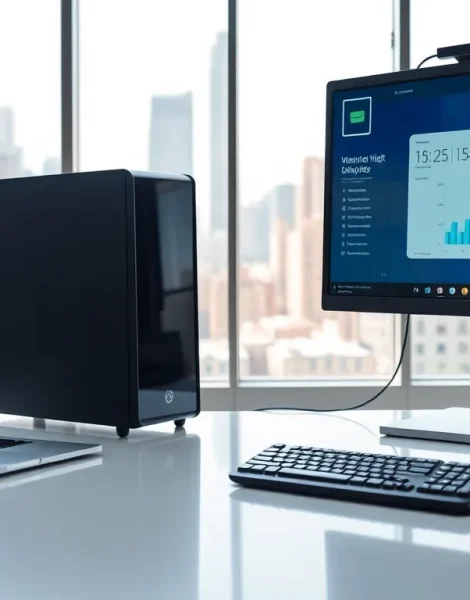
Laptops vs desktops remains one of the most common debates for anyone buying a new computer. Both options have clear strengths and weaknesses. Laptops offer mobility, while desktops deliver raw power and easier upgrades. The right choice depends on how someone plans to use their machine, whether for gaming, work, creative projects, or everyday browsing. This guide breaks down the key differences between laptops and desktops to help readers make an well-informed choice.
Table of Contents
ToggleKey Takeaways
- Laptops vs desktops comes down to portability versus power—laptops offer mobility while desktops deliver superior performance and upgradability.
- Desktops provide better value per dollar, typically outperforming laptops at the same price point with room for future upgrades.
- Gaming, video editing, and 3D rendering favor desktops due to full-sized components and better cooling systems.
- Laptops are ideal for remote workers, students, and travelers who need to work from multiple locations.
- Desktops can last 7-10 years with component upgrades, while laptops typically need replacement after 3-5 years.
- Consider owning both if budget allows—a desktop for heavy workloads at home and a laptop for mobile productivity.
Key Differences Between Laptops and Desktops
The fundamental difference between laptops and desktops comes down to form factor. Laptops combine a screen, keyboard, trackpad, and internal components into a single portable unit. Desktops separate these elements, a tower houses the core components, while monitors, keyboards, and mice connect externally.
This design difference affects almost everything else. Desktops typically use full-sized components that generate more heat but deliver better performance. Laptops rely on compact, power-efficient parts to fit into a slim chassis and run on battery power.
Desktops also offer more flexibility in terms of display options. Users can connect multiple monitors or upgrade to larger screens without replacing the entire system. Laptops lock users into a single built-in display, though external monitors can be added.
Storage and memory configurations differ too. Desktops often support more RAM slots and multiple storage drives. Laptops usually max out at one or two drive bays and limited RAM capacity.
Performance and Power Comparison
Desktops win the performance battle in almost every category. They use full-power processors and dedicated graphics cards that can handle demanding tasks like 4K video editing, 3D rendering, and high-end gaming.
Laptops have caught up significantly in recent years. Modern laptops with high-performance chips can run most software without issues. But, thermal constraints force laptops to throttle performance under heavy loads. A desktop with the same processor will sustain higher speeds for longer periods.
For gaming, desktops remain the preferred choice. They support full-sized graphics cards with better cooling solutions. Gaming laptops exist, but they run hotter, louder, and often cost more than equivalent desktop builds.
General productivity tasks, word processing, web browsing, email, video calls, run smoothly on both platforms. The performance gap only becomes noticeable with resource-intensive applications.
Battery life is a laptop-specific consideration. Premium laptops offer 10-15 hours of real-world use. Desktops require constant wall power, making them impractical during outages without a backup system.
Portability and Convenience
Portability defines the laptop experience. A laptop goes anywhere, coffee shops, airports, client meetings, or the couch. This flexibility makes laptops essential for remote workers, students, and frequent travelers.
Desktops stay put. Moving a desktop requires disconnecting cables, transporting a heavy tower, and reassembling everything at the destination. Most people set up a desktop once and leave it.
Space requirements differ considerably. A laptop takes up minimal desk space and stores easily in a drawer or bag. Desktops need dedicated workspace for the tower, monitor, and peripherals.
Setup time favors laptops too. Open the lid and start working. Desktops involve more initial configuration and cable management.
That said, desktops offer ergonomic advantages. Users can position monitors at eye level, choose comfortable keyboards, and create ideal workstation setups. Laptop users often hunch over small screens unless they add external accessories.
Cost and Value Considerations
Dollar for dollar, desktops deliver more computing power. A $1,000 desktop typically outperforms a $1,000 laptop in processing speed, graphics capability, and storage capacity.
Laptops carry a premium for their portability. Manufacturers charge more for compact components, battery technology, and lightweight materials. The convenience factor has a price.
Entry-level budgets tell a similar story. A $500 desktop handles basic tasks comfortably with room for future upgrades. A $500 laptop works for light use but offers less headroom.
Total cost of ownership extends beyond the initial purchase. Desktops last longer before needing replacement because users can swap out aging parts. Laptops become outdated faster since most components can’t be changed.
Repair costs also favor desktops. Fixing a desktop usually means replacing a single component. Laptop repairs often require specialized parts and professional service, driving up expenses.
Upgradability and Longevity
Desktops excel at upgradability. Users can replace processors, graphics cards, RAM, storage drives, and power supplies as technology advances or needs change. A desktop built five years ago can receive new life with targeted upgrades.
Laptops offer limited upgrade paths. Most allow RAM and storage swaps, but processors and graphics chips are soldered to the motherboard. When core components become outdated, the entire laptop needs replacement.
This difference affects longevity. A well-maintained desktop can remain useful for 7-10 years with periodic upgrades. Laptops typically serve 3-5 years before performance lags behind current software requirements.
Repairability matters too. Desktop components use standardized connections and widely available parts. Laptop repairs depend on manufacturer-specific designs that may become unavailable after a few years.
For users who want long-term value and the ability to adapt their system over time, desktops present the stronger option.
How to Choose the Right Option for Your Needs
The decision between laptops and desktops depends on individual priorities.
Choose a laptop if:
- Mobility matters for work or lifestyle
- Space is limited at home or office
- Tasks involve general productivity, light creative work, or entertainment
- Working from multiple locations is common
Choose a desktop if:
- Maximum performance is the priority
- Gaming, video editing, or 3D work is the primary use
- Long-term value and upgradability matter
- A dedicated workspace exists
Some users benefit from both. A powerful desktop handles heavy workloads at home, while a lightweight laptop covers mobile needs. This combination costs more upfront but serves different purposes effectively.
Consider future needs too. Someone currently working from home might shift to hybrid or remote work. A student entering the workforce may need different tools. The laptops vs desktops choice should account for how needs might evolve.


