
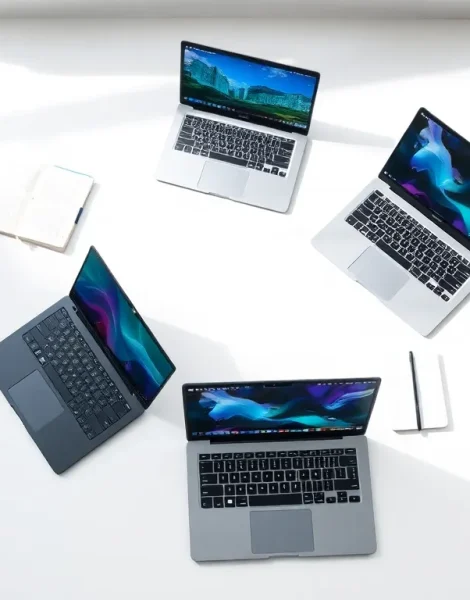
Finding the right laptop ideas can feel overwhelming with so many options on the market. Whether someone needs a machine for school, work, creative projects, or gaming, the choices vary widely in features and price. This guide breaks down laptop ideas by use case and budget. It covers options for students, professionals, creatives, gamers, and budget-conscious buyers. Each section highlights key specs to look for and recommends practical choices. By the end, readers will have a clear sense of which laptop fits their specific needs.
Table of Contents
ToggleKey Takeaways
- Match your laptop choice to your primary use case—students, professionals, creatives, and gamers all have different spec requirements.
- Students should prioritize battery life (8+ hours), lightweight designs under 4 pounds, and at least 8GB of RAM for everyday schoolwork.
- Business professionals benefit from laptops with 16GB RAM, enterprise-grade security features, and durable metal builds like ThinkPads or MacBook Pros.
- Creative and gaming laptop ideas require dedicated GPUs (NVIDIA RTX 4060+), high-refresh displays, and robust cooling systems to handle demanding tasks.
- Budget-friendly laptops under $500, including Chromebooks and refurbished models, work well for web browsing, streaming, and basic productivity.
- Always check for modern processors (Intel 10th gen+ or AMD Ryzen 3000+) and SSD storage, even when shopping for affordable laptop ideas.
Laptops for Students and Remote Learners
Students and remote learners need laptops that balance performance, portability, and battery life. They often carry their devices between classes, libraries, and home. A lightweight laptop with all-day battery makes studying easier.
For most students, a laptop with 8GB of RAM and a modern processor handles schoolwork well. Chromebooks offer a budget-friendly option for those who mainly use web-based apps like Google Docs and Zoom. They boot quickly, require little maintenance, and cost between $200 and $400.
Students who run more demanding software should consider Windows laptops or MacBooks. The Acer Aspire 5 provides solid performance at an affordable price point. Apple’s MacBook Air with the M2 chip delivers excellent battery life and speed for those in the Apple ecosystem.
Key features to prioritize include:
- Battery life: Look for at least 8 hours of use
- Weight: Under 4 pounds works best for daily carrying
- Display: A 13 to 15-inch screen suits most tasks
- Storage: 256GB SSD minimum for apps and files
These laptop ideas help students stay productive without very costly. Remote learners benefit from built-in webcams and good microphones for video calls. Many affordable laptops now include these features as standard.
Best Options for Business Professionals
Business professionals require laptops that deliver reliability, security, and performance. They run multiple applications, attend video conferences, and handle sensitive data daily. The right laptop supports productivity without slowdowns or crashes.
ThinkPad laptops from Lenovo remain a popular choice among professionals. They offer durable builds, excellent keyboards, and strong security features like fingerprint readers. The ThinkPad X1 Carbon combines power with portability in a sleek package.
Dell’s Latitude series provides another strong option for business users. These laptops include enterprise-grade security and long-term support. HP’s EliteBook line competes closely with similar features and build quality.
For professionals who prefer macOS, the MacBook Pro offers impressive performance. The M3 chip handles intensive tasks like data analysis and video editing with ease. Battery life extends well beyond a typical workday.
When evaluating laptop ideas for business use, consider these factors:
- Processing power: Intel Core i5/i7 or Apple M-series chips
- RAM: 16GB or more for multitasking
- Security: TPM chips, biometric login options
- Build quality: Metal chassis resists daily wear
- Warranty: Business-grade support matters
Professionals who travel frequently should prioritize weight and battery. Those who work mainly at a desk might prefer larger screens and more ports. Either way, investing in a quality business laptop pays off through years of reliable service.
Creative and Gaming Laptop Picks
Creatives and gamers push their laptops harder than most users. Video editors, graphic designers, and 3D artists need powerful processors and dedicated graphics cards. Gamers require similar specs plus high-refresh-rate displays for smooth gameplay.
For creative work, the MacBook Pro 16-inch stands out. It handles 4K video editing, photo manipulation, and music production without lag. The display shows accurate colors, which matters for professional design work.
Windows users should look at the ASUS ProArt series or Dell XPS 15. Both offer color-accurate screens and powerful internals. The ProArt Studiobook includes a dial for creative software shortcuts.
Gaming laptops prioritize different features. The ASUS ROG Zephyrus G14 packs serious power into a relatively portable frame. It runs modern games at high settings while staying cooler than many competitors. The Razer Blade 15 offers premium build quality with strong gaming performance.
Budget-minded gamers can consider the Acer Nitro 5 or Lenovo IdeaPad Gaming 3. These laptop ideas provide entry-level gaming without the high price tag.
Specs to look for in creative and gaming laptops:
- GPU: NVIDIA RTX 4060 or better for gaming: RTX 4070+ for 3D work
- Display: 144Hz+ for gaming: color-accurate panels for design
- RAM: 16GB minimum, 32GB for heavy creative work
- Storage: 512GB SSD or larger: games and project files consume space quickly
- Cooling: Good thermal design prevents throttling
These machines cost more than basic laptops. But they handle demanding tasks that cheaper options simply cannot.
Budget-Friendly Laptops Worth Considering
Not everyone needs a high-end machine. Many users browse the web, stream videos, write documents, and check email. Budget laptops handle these tasks perfectly well.
Chromebooks represent the most affordable laptop ideas on the market. The Lenovo Chromebook Duet doubles as a tablet and costs under $300. It works great for light use and entertainment. The HP Chromebook x360 adds a larger screen and better keyboard.
Windows laptops under $500 have improved significantly. The HP Pavilion 15 offers solid performance for everyday tasks. The Lenovo IdeaPad 3 provides similar value with reliable build quality.
Refurbished laptops offer another path to savings. Certified refurbished ThinkPads and MacBooks often cost 40-50% less than new. They come with warranties and work just as well as new machines.
Tips for buying budget laptops:
- Avoid older processors: Intel 10th gen or newer, AMD Ryzen 3000+
- Check RAM: 4GB struggles with modern apps: aim for 8GB
- SSD storage: Avoid laptops with only hard drives: they feel slow
- Read reviews: Quality varies more in the budget segment
Buyers should set realistic expectations. A $300 laptop won’t edit videos smoothly or run demanding games. But for basic productivity and entertainment, budget laptop ideas deliver real value. Spending smart matters more than spending big.


