
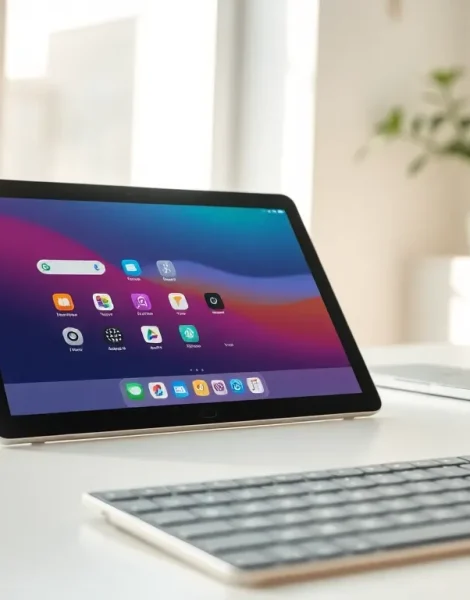
Tablets have become essential devices in homes, schools, and workplaces around the world. A tablet is a portable computing device with a touchscreen display, positioned between smartphones and laptops in terms of size and functionality. These devices offer users a convenient way to browse the internet, watch videos, read books, and complete work tasks without the bulk of a traditional computer.
Since Apple introduced the iPad in 2010, tablets have evolved dramatically. Today, millions of people use tablets for everything from casual entertainment to professional design work. This guide explains what tablets are, how they work, and what makes them different from other devices.
Table of Contents
ToggleKey Takeaways
- A tablet is a portable touchscreen device that bridges the gap between smartphones and laptops, offering versatile functionality in a slim form factor.
- Tablets run on mobile operating systems like iPadOS, Android, or Windows, with app stores providing access to thousands of applications.
- Key specifications to consider when buying a tablet include display size (7-13 inches), processor speed, RAM (4GB+ recommended), and storage capacity (32GB to 1TB).
- Tablets serve diverse purposes including entertainment streaming, e-reading, productivity work, video calls, and smart home control.
- Most tablets deliver 8-12 hours of battery life per charge, making them practical for all-day portable use.
- 2-in-1 tablets with keyboard attachments offer a middle ground for users who need both tablet convenience and laptop functionality.
How Tablets Work
A tablet operates through a combination of hardware and software that responds to touch input. The device contains a processor (CPU), memory (RAM), storage, battery, and sensors, all packed into a slim form factor.
The touchscreen is the primary interface. Most tablets use capacitive touchscreens that detect electrical signals from a user’s fingernips. When someone taps or swipes the screen, sensors register the location and translate it into commands. This allows users to open apps, type on virtual keyboards, and control the device without physical buttons.
Tablets run on mobile operating systems. Apple tablets use iPadOS, while most other tablets run Android or Windows. These operating systems manage all device functions and provide access to app stores where users can download software.
Connectivity options include Wi-Fi and, on some models, cellular networks (4G or 5G). Bluetooth enables connections to external keyboards, headphones, and other accessories. Most tablets also feature cameras, speakers, and microphones for video calls and media creation.
The battery powers all these components. A typical tablet battery lasts 8-12 hours on a single charge, making the device practical for all-day use.
Key Features and Specifications
When shopping for a tablet, several specifications determine performance and usability.
Display Size and Resolution
Tablet screens typically range from 7 to 13 inches. Larger screens suit media consumption and productivity, while smaller tablets offer better portability. Resolution matters too, look for at least 1920×1080 pixels for sharp text and images.
Processor and RAM
The processor determines how fast a tablet runs apps and handles multiple tasks. More RAM (4GB or higher) allows smoother multitasking. Budget tablets often have slower processors and 2-3GB of RAM, which works fine for basic tasks.
Storage Capacity
Tablets come with 32GB to 1TB of internal storage. Users who store many apps, photos, and videos need more space. Some Android tablets include microSD card slots for expandable storage, but iPads do not.
Battery Life
Most tablets deliver 8-12 hours of use per charge. Power users should prioritize models with larger batteries or fast-charging capabilities.
Additional Features
Many tablets support stylus input for drawing and note-taking. Some offer keyboard attachments that transform them into laptop-like devices. Face recognition and fingerprint sensors provide security options.
Types of Tablets
The tablet market includes several categories designed for different needs and budgets.
Standard Tablets
These are general-purpose devices for everyday use. The Apple iPad, Samsung Galaxy Tab, and Amazon Fire tablets fall into this category. Prices range from $100 for basic models to $500 for premium options.
Premium Tablets
High-end tablets like the iPad Pro and Samsung Galaxy Tab S series feature powerful processors, high-resolution displays, and advanced cameras. These devices can handle demanding tasks like video editing and professional illustration. Prices typically start at $800.
Budget Tablets
Amazon Fire tablets and entry-level Android devices offer basic functionality at low prices. They’re suitable for web browsing, streaming, and light gaming. These tablets usually cost under $200.
Kids’ Tablets
Specially designed tablets for children include durable cases, parental controls, and pre-installed educational content. Amazon Fire Kids tablets are popular choices in this category.
2-in-1 Tablets
Devices like the Microsoft Surface Pro combine tablet portability with laptop functionality. They run full desktop operating systems and accept keyboard attachments. These work well for business users who need both form factors.
Common Uses for Tablets
Tablets serve many purposes across personal and professional settings.
Entertainment
Streaming video is one of the most popular tablet activities. The portable screens make tablets perfect for watching Netflix, YouTube, or other services anywhere. Gaming also thrives on tablets, with thousands of titles available through app stores.
Reading and Education
Many people use tablets as e-readers. The larger screen compared to dedicated e-readers makes tablets better for magazines, textbooks, and comics. Schools increasingly adopt tablets for digital learning, giving students access to interactive educational apps and online resources.
Productivity
With the right accessories, a tablet can replace a laptop for many work tasks. Users write documents, create presentations, manage spreadsheets, and attend video meetings. Artists and designers use tablets with styluses for digital illustration.
Communication
Tablets excel at video calls thanks to their large screens and front-facing cameras. Many families use tablets to stay connected with relatives, especially older users who appreciate the simple interface.
Home Control
Smart home enthusiasts use tablets as control hubs for lights, thermostats, security cameras, and other connected devices. A wall-mounted tablet can serve as a central dashboard for an entire home.
Tablets vs. Laptops and Smartphones
Understanding how tablets compare to other devices helps buyers make informed decisions.
Tablets vs. Smartphones
Tablets offer larger screens than smartphones, making them better for content consumption, reading, and productivity tasks. But, tablets lack the pocket portability of phones. Most tablets also cannot make traditional phone calls without apps like Skype or FaceTime.
Smartphones remain the better choice for always-on communication and quick tasks. Tablets shine when users want a bigger display without carrying a laptop.
Tablets vs. Laptops
Laptops provide more processing power and full desktop software compatibility. They include physical keyboards and larger storage options. For heavy work like software development or professional video editing, laptops remain superior.
Tablets win on portability and battery life. They’re lighter, thinner, and start up instantly. The touchscreen interface feels more intuitive for casual browsing and media consumption. Many users find tablets more comfortable to use while relaxing on a couch or in bed.
The Middle Ground
2-in-1 devices blur these lines. A tablet with a keyboard attachment can handle many laptop tasks while maintaining tablet convenience. For users who need occasional laptop functionality, these hybrid devices offer a practical compromise.


