
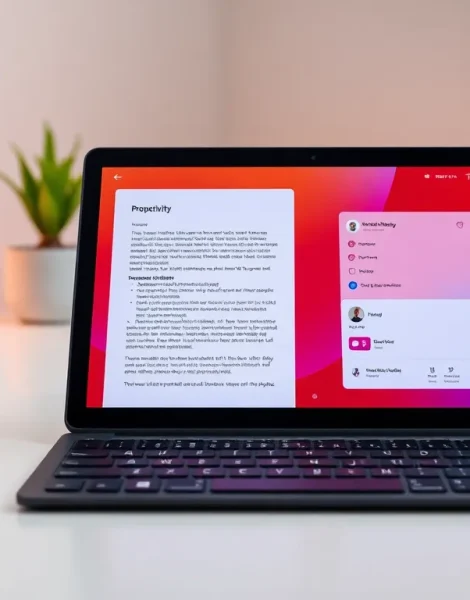
Tablet strategies can transform an ordinary device into a powerful tool for productivity and entertainment. Whether someone uses their tablet for remote work, creative projects, or streaming movies, the right approach makes all the difference. Tablets have evolved far beyond simple browsing devices. They now handle complex tasks that once required laptops or desktops. This guide covers practical tablet strategies that help users get more from their devices. From choosing the right model to managing battery life, these tips apply to both casual users and power users alike.
Table of Contents
ToggleKey Takeaways
- Effective tablet strategies start with choosing the right device based on your specific needs, operating system preferences, and budget.
- Use split-screen mode and cloud storage to transform your tablet into a powerful productivity tool that rivals a laptop.
- Essential accessories like keyboard cases and styluses significantly enhance tablet functionality for work and creative tasks.
- Download streaming content for offline viewing and invest in quality headphones to maximize your tablet’s entertainment potential.
- Extend battery life by lowering screen brightness, closing background apps, and enabling battery saver mode during long sessions.
- Regular maintenance—including weekly restarts, software updates, and storage management—keeps your tablet running smoothly over time.
Choosing the Right Tablet for Your Needs
The foundation of effective tablet strategies starts with selecting the right device. Not all tablets serve the same purpose. A graphic designer needs different specs than someone who mainly watches YouTube videos.
Consider the operating system first. iPads run on iPadOS and offer tight integration with other Apple products. Android tablets provide more customization options and work well with Google services. Windows tablets, like the Surface line, blur the line between tablets and laptops.
Screen size matters more than people think. An 8-inch tablet fits easily in a bag and works great for reading. A 12-inch screen gives more room for split-screen multitasking. Think about where and how the tablet will be used most often.
Storage and RAM affect daily performance. Users who plan to store many apps, games, or media files should aim for at least 128GB of storage. For heavy multitasking, 6GB of RAM or more keeps things running smoothly.
Budget plays a role, but don’t overspend on features you won’t use. A $300 tablet handles email, web browsing, and video streaming just fine. Someone editing 4K video or running professional design software might need a $1,000+ device.
Matching the tablet to actual use cases is the first smart tablet strategy anyone should follow.
Productivity Strategies for Tablet Users
Tablets can replace laptops for many work tasks, if users apply the right tablet strategies. The key is setting up workflows that take advantage of a tablet’s portability and touch interface.
Use split-screen mode to handle two apps at once. Most modern tablets support this feature. A user can reference a document on one side while writing an email on the other. This simple trick saves time and reduces the need to switch between apps constantly.
Cloud storage keeps files accessible everywhere. Services like Google Drive, Dropbox, and iCloud sync documents across devices. Users can start a project on their tablet and finish it on a desktop without transferring files manually.
Voice dictation speeds up text entry. Typing on a tablet keyboard takes longer than on a physical keyboard. Speaking instead of typing works well for emails, notes, and even longer documents. Both iOS and Android have built-in dictation features.
Essential Apps and Accessories
The right apps and accessories turn a tablet into a serious work machine. These tablet strategies boost productivity significantly.
Keyboard cases make extended typing comfortable. Brands like Logitech, Apple, and Samsung offer cases with built-in keyboards. They add minimal weight and transform the tablet into something closer to a laptop.
A stylus opens up new possibilities. The Apple Pencil, Samsung S Pen, and similar tools allow handwritten notes, sketches, and document annotations. Many professionals find handwriting faster than typing for quick notes.
Must-have productivity apps include:
- Microsoft Office or Google Workspace for documents and spreadsheets
- Notion or Evernote for note-taking and project management
- Zoom or Microsoft Teams for video calls
- PDF Expert or Adobe Acrobat for document markup
These accessories and apps form the backbone of solid tablet strategies for work.
Optimizing Entertainment and Media Consumption
Tablets excel at entertainment. Their screens offer a better viewing experience than phones, and they’re more portable than TVs. Smart tablet strategies help users get the most from streaming, gaming, and reading.
Download content for offline viewing. Netflix, Disney+, Amazon Prime Video, and most streaming apps let users download shows and movies. This strategy saves data and ensures entertainment is available during flights or areas with weak internet.
Adjust display settings for different content. Many tablets offer display modes that shift color temperature based on the content. Warmer tones reduce eye strain during nighttime reading. Vivid modes make videos pop.
Invest in good headphones or external speakers. Tablet speakers have improved, but they still can’t match dedicated audio equipment. Bluetooth headphones provide private, high-quality sound. A small portable speaker works well for group viewing.
Gaming on tablets has grown significantly. Titles like Genshin Impact, Call of Duty Mobile, and Apple Arcade games look stunning on large tablet screens. Some users connect Bluetooth controllers for a console-like experience.
E-readers and tablets serve different purposes. People who read for hours might prefer a dedicated e-reader with an e-ink display. But tablets handle magazines, comics, and PDFs with color images much better. The Kindle app works on any tablet for those who want both options.
These tablet strategies ensure the device delivers maximum entertainment value.
Battery and Performance Management Tips
Even the best tablet strategies fall apart if the device dies mid-task. Battery management and performance optimization keep tablets running smoothly throughout the day.
Lower screen brightness when possible. The display consumes more power than any other component. Automatic brightness adjustment helps, but manually dimming the screen in indoor settings extends battery life further.
Close apps running in the background. Apps that refresh constantly, email, social media, news, drain battery even when not in use. Check battery settings to identify which apps consume the most power and limit their background activity.
Enable battery saver mode during long sessions. This feature reduces performance slightly but can add hours of use. It’s useful during travel or when a charger isn’t nearby.
Keep the operating system and apps updated. Updates often include performance improvements and bug fixes that affect battery life. An outdated tablet may work harder than necessary to complete basic tasks.
Restart the tablet weekly. This clears temporary files and refreshes system processes. It’s a simple habit that prevents sluggish performance over time.
Watch for storage issues. A nearly full tablet runs slower than one with free space. Delete unused apps, clear cached data, and move photos to cloud storage regularly.
These maintenance-focused tablet strategies protect the investment and keep performance consistent.


