
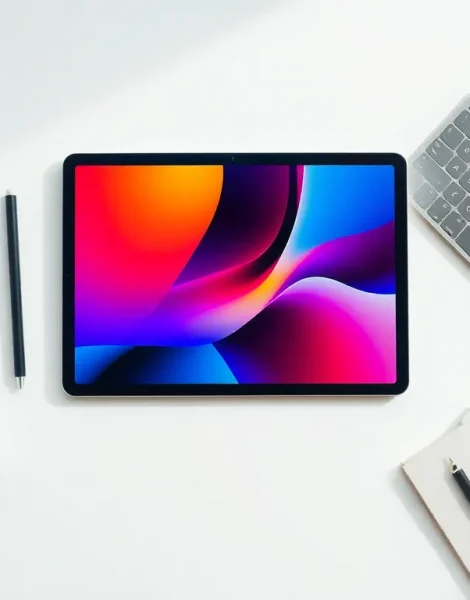
Tablets have become essential tools for work, play, and everything in between. Yet many owners barely scratch the surface of what these devices can do. This guide covers practical tablet ideas that help users maximize their investment. From streaming movies to sketching digital art, tablets offer more versatility than most people realize. The following sections explore entertainment, productivity, creative projects, and learning opportunities that transform an ordinary tablet into a powerhouse device.
Table of Contents
ToggleKey Takeaways
- Tablets offer versatile entertainment options including streaming, gaming, digital reading, and music playback in one portable device.
- Pairing a tablet with a Bluetooth keyboard and stylus transforms it into a powerful mobile office for document creation and note-taking.
- Creative tablet ideas include digital drawing, photo editing, music production, and video editing using professional-grade apps.
- Educational platforms and language learning apps make tablets ideal tools for students and lifelong learners.
- Using a tablet as a second screen for your computer provides extra workspace without purchasing a dedicated monitor.
- From entertainment to productivity, exploring new tablet ideas helps users maximize their investment and unlock the device’s full potential.
Entertainment and Media Uses
Tablets excel at delivering entertainment. Their portable screens and long battery life make them perfect companions for media consumption.
Streaming Movies and TV Shows
Netflix, Hulu, Disney+, and other streaming platforms work beautifully on tablets. Users can download content for offline viewing during flights or commutes. A tablet’s screen size hits a sweet spot, large enough for comfortable viewing, small enough to carry anywhere.
Gaming Hub
Mobile gaming has grown significantly, and tablets offer superior experiences compared to phones. The larger display provides better visibility for action games, puzzle titles, and strategy games. Many tablets now support Bluetooth controllers, turning them into portable gaming consoles. Cloud gaming services like Xbox Game Pass and GeForce Now expand tablet gaming possibilities even further.
Digital Reading
E-books, magazines, and comic books look fantastic on tablet screens. Apps like Kindle, Apple Books, and Comixology give readers access to millions of titles. The ability to adjust font sizes, brightness, and background colors makes reading comfortable in any environment.
Music and Podcasts
Tablets serve as excellent music players. Their speakers typically outperform phone speakers, and apps like Spotify or Apple Music provide easy playlist management. Podcast listeners appreciate the larger interface for browsing episodes and managing subscriptions.
These tablet ideas for entertainment transform downtime into enjoyable experiences. The device becomes a personal theater, arcade, and library rolled into one.
Productivity and Work Applications
Business professionals and remote workers have discovered tablets as legitimate work machines. The right apps and accessories turn these devices into mobile offices.
Document Creation and Editing
Microsoft Office, Google Docs, and similar apps run smoothly on tablets. Users can create spreadsheets, write reports, and build presentations from anywhere. Pairing a tablet with a Bluetooth keyboard dramatically improves typing speed and comfort.
Video Conferencing
Zoom, Microsoft Teams, and Google Meet work perfectly on tablets. The front-facing camera sits at eye level when propped up, creating a more natural video call experience than laptops often provide. Tablets also travel easily to different rooms or outdoor locations for calls.
Note-Taking and Organization
Apps like Notability, GoodNotes, and OneNote have revolutionized how people capture information. A stylus lets users write naturally while the tablet converts handwriting to searchable text. These tablet ideas for productivity help professionals stay organized without paper clutter.
Project Management
Trello, Asana, and Monday.com all offer tablet-optimized apps. Teams can track tasks, update project statuses, and collaborate in real time. The touch interface makes dragging cards and updating progress intuitive.
Second Screen Setup
Many tablets can function as secondary monitors for laptops or desktops. This tablet idea gives workers extra screen space without buying a dedicated monitor. Apps like Duet Display and Sidecar (for Apple devices) make setup simple.
Creative and Artistic Projects
Artists and creators have embraced tablets as serious creative tools. The combination of touch screens and stylus support opens doors that traditional media cannot.
Digital Drawing and Illustration
Procreate, Adobe Fresco, and Clip Studio Paint turn tablets into professional-grade drawing surfaces. Artists create detailed illustrations, character designs, and digital paintings directly on screen. The pressure sensitivity of modern styluses mimics traditional brushes and pencils.
Photo Editing
Adobe Lightroom and Photoshop run on tablets with impressive performance. Photographers can edit RAW files, apply filters, and fine-tune images using touch gestures. The portability means editing can happen immediately after a photo shoot.
Music Production
GarageBand, FL Studio Mobile, and similar apps let musicians compose and produce tracks on tablets. Touch interfaces work naturally for virtual instruments and mixing boards. Some producers sketch entire songs on tablets before finalizing them in professional studios.
Video Editing
LumaFusion, iMovie, and CapCut provide capable video editing on tablets. Content creators can trim clips, add effects, and export finished videos without a computer. These tablet ideas for creativity empower YouTubers and social media creators to work anywhere.
Graphic Design
Canva and Adobe Express make graphic design accessible on tablets. Users create social media posts, flyers, and presentations with drag-and-drop simplicity. Small business owners particularly benefit from these tools for quick marketing materials.
Learning and Education Opportunities
Tablets have transformed education for students and lifelong learners alike. Their interactive nature makes learning engaging and accessible.
Online Courses
Platforms like Coursera, Udemy, and Khan Academy deliver quality education through tablet apps. Learners can watch video lectures, complete quizzes, and earn certificates from anywhere. The tablet format encourages studying during commutes or lunch breaks.
Language Learning
Duolingo, Babbel, and Rosetta Stone offer excellent tablet experiences. Daily practice sessions fit easily into busy schedules. The interactive exercises, speaking, listening, and writing, work particularly well on touch screens.
Children’s Education
Educational apps for kids transform tablets into learning tools. Programs teach reading, math, and science through games and activities. Parents can set time limits and content restrictions to ensure healthy usage.
Skill Development
Tablets support learning practical skills beyond academics. Cooking apps provide step-by-step recipes. Fitness apps guide workout routines. Meditation apps teach mindfulness techniques. These tablet ideas for learning help users improve themselves daily.
Research and Reference
Students use tablets for research papers and study sessions. Wikipedia, academic databases, and reference apps put information at their fingertips. The ability to highlight PDFs and annotate documents streamlines the research process.


