
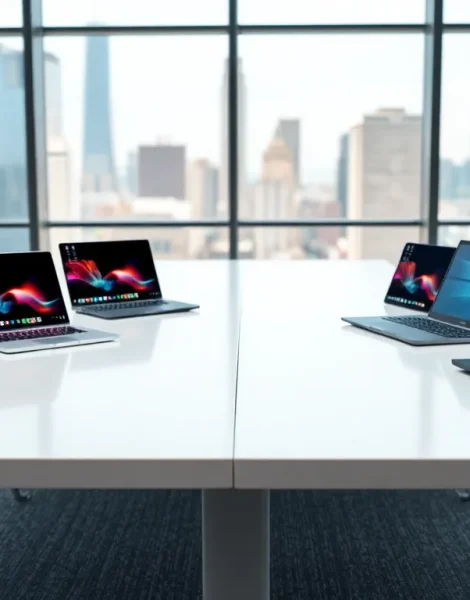
Laptops examples range from lightweight ultrabooks to powerful gaming machines. Each category serves specific user needs. Business professionals need reliable performance and security features. Gamers require high-end graphics and fast processors. Students often prioritize affordability and portability.
This guide breaks down the main laptop categories with real-world examples. It covers business laptops, gaming machines, ultrabooks, budget options, and workstations. By the end, readers will understand which laptop type fits their requirements best.
Table of Contents
ToggleKey Takeaways
- Laptops examples span five main categories: business, gaming, ultrabooks, budget/student, and workstations—each designed for specific user needs.
- Business laptops like the ThinkPad X1 Carbon and Dell Latitude prioritize security, reliability, and long battery life, typically costing $1,200–$2,500.
- Gaming laptops examples such as the ASUS ROG Zephyrus G16 deliver desktop-level performance with RTX 4090 graphics but sacrifice portability and battery life.
- Ultrabooks like the MacBook Air M3 and Dell XPS 13 offer maximum portability under 3 pounds with up to 18 hours of battery life.
- Budget laptops examples under $500, including the Acer Aspire 3 and Chromebooks, handle everyday student tasks like browsing, documents, and video calls effectively.
- Workstation laptops for creative professionals start at $2,500 and feature professional-grade graphics, color-accurate displays, and ISV certifications for software like AutoCAD and Adobe apps.
Business and Professional Laptops
Business laptops examples include the Lenovo ThinkPad X1 Carbon and Dell Latitude series. These machines prioritize reliability, security, and long battery life over flashy features.
The ThinkPad X1 Carbon remains a top choice for corporate users. It offers Intel vPro processors, a spill-resistant keyboard, and up to 15 hours of battery life. The fingerprint reader and IR camera provide secure login options. Many IT departments prefer ThinkPads because of their consistent build quality and easy serviceability.
Dell’s Latitude 7000 series competes directly with ThinkPads. These laptops examples feature similar security tools plus Dell’s proprietary management software. The Latitude 7440 weighs under 3 pounds and includes 5G connectivity options.
HP’s EliteBook line rounds out the top business laptops examples. The EliteBook 840 G10 uses recycled materials in its construction. It meets MIL-STD 810H durability standards, meaning it can handle drops, vibrations, and temperature extremes.
Business laptops typically cost between $1,200 and $2,500. They sacrifice gaming performance for practical features like:
- Multiple display outputs
- Docking station compatibility
- Enterprise-grade encryption
- Extended warranty options
Companies often lease these laptops examples rather than purchasing them outright. This approach keeps technology current and simplifies asset management.
Gaming Laptops
Gaming laptops examples showcase the most powerful portable hardware available. The ASUS ROG Zephyrus G16 and Razer Blade 16 lead this category in 2024.
The ROG Zephyrus G16 packs an NVIDIA RTX 4090 graphics card into a surprisingly thin chassis. Its 16-inch OLED display runs at 240Hz, making fast-paced games look smooth. Gamers can expect frame rates above 100 FPS in most AAA titles at high settings.
Razer’s Blade 16 offers similar specs in a more premium aluminum body. It costs around $3,500 but delivers desktop-level performance. The vapor chamber cooling system keeps temperatures manageable during extended gaming sessions.
More affordable gaming laptops examples include the Acer Nitro 5 and Lenovo Legion 5. These machines use RTX 4060 or 4070 graphics cards. They handle most games well at 1080p resolution. Prices range from $800 to $1,500.
Key features to look for in gaming laptops:
- High refresh rate displays (144Hz minimum)
- Dedicated graphics cards (not integrated)
- At least 16GB RAM
- SSD storage for fast load times
- Adequate cooling with multiple fans
Gaming laptops examples weigh more than other categories, usually 5 to 7 pounds. Battery life suffers too, often lasting just 3-4 hours during normal use. These trade-offs come with the territory when portable gaming performance matters most.
Ultrabooks and Thin-and-Light Laptops
Ultrabooks represent laptops examples built for maximum portability. The MacBook Air M3 and Dell XPS 13 define this category.
Apple’s MacBook Air M3 weighs just 2.7 pounds. Its fanless design means silent operation during everyday tasks. The M3 chip provides enough power for photo editing, web development, and light video work. Battery life reaches 18 hours, impressive for such a thin device.
The Dell XPS 13 offers a Windows alternative with similar portability. Its 13.4-inch display uses InfinityEdge bezels to maximize screen space. The latest model includes Intel Core Ultra processors with built-in AI acceleration.
Other strong ultrabook laptops examples include:
- ASUS ZenBook 14 OLED – Stunning display quality at a reasonable price
- HP Spectre x360 – Convertible design with pen support
- Microsoft Surface Laptop 5 – Clean aesthetics and excellent keyboard
- LG Gram 17 – Large screen in an incredibly light package (under 3 pounds)
Ultrabooks typically cost between $999 and $1,800. They use integrated graphics, which limits gaming and heavy video editing. But, for writers, consultants, and frequent travelers, these laptops examples make perfect sense.
The thin form factor does create some limitations. Most ultrabooks offer only 2-3 USB-C ports. Some users need a dongle or hub for legacy devices. Upgradability is minimal since RAM and storage are often soldered to the motherboard.
Budget and Student Laptops
Budget laptops examples prove that useful computers don’t require huge investments. The Acer Aspire 3, HP Laptop 15, and Lenovo IdeaPad 1 all cost under $500.
The Acer Aspire 3 starts around $350. It includes a 15.6-inch Full HD display, AMD Ryzen 5 processor, and 8GB of RAM. These specs handle web browsing, document editing, and video streaming without issues. Students can run Google Docs, Microsoft Office, and Zoom simultaneously.
HP’s Laptop 15 series offers similar value with slightly better build quality. The plastic chassis feels sturdy, and the keyboard provides decent feedback. Storage starts at 256GB SSD, though many budget laptops examples now include 512GB options.
Chromebooks represent another approach to affordable computing. The Lenovo Chromebook Duet and Acer Chromebook Spin 714 run Chrome OS instead of Windows. They excel at cloud-based work and offer excellent battery life. Prices start below $300 for basic models.
Budget laptops examples typically compromise on:
- Display brightness and color accuracy
- Build materials (more plastic, less metal)
- Processing power for demanding tasks
- Speaker quality
- Trackpad precision
Even though these trade-offs, modern budget laptops handle most student workloads effectively. A $400 laptop today outperforms a $1,000 machine from five years ago. For essay writing, research, and online classes, these laptops examples deliver solid value.
Workstation Laptops for Creative Professionals
Workstation laptops examples target video editors, 3D artists, and engineers. The MacBook Pro 16 and Dell Precision 7780 lead this specialized category.
Apple’s MacBook Pro 16 with M3 Max chip handles 8K video editing smoothly. Its 36-core GPU renders complex timelines faster than most desktop computers. The Liquid Retina XDR display shows accurate colors for professional color grading. Photographers and filmmakers rely on this machine daily.
Dell’s Precision 7780 serves CAD users and engineers. It supports NVIDIA RTX 5000 Ada graphics and up to 128GB of RAM. The ISV certifications guarantee compatibility with software like AutoCAD, SolidWorks, and CATIA. Companies choose Precision laptops examples when software stability matters more than cost.
HP’s ZBook Fury 16 G10 offers another Windows workstation option. It features a DreamColor display calibrated for Adobe RGB coverage. Video professionals appreciate the built-in SD card reader and Thunderbolt 4 ports.
Workstation laptops examples share several characteristics:
- ECC memory options for error-free calculations
- Professional graphics cards (NVIDIA RTX A-series or Quadro)
- Color-accurate displays with wide gamut coverage
- Multiple high-speed storage slots
- ISV certifications for professional software
These machines cost between $2,500 and $6,000. The investment makes sense for professionals whose income depends on rendering speed and software reliability. A crashed project or corrupted file can cost more than the laptop itself.


