
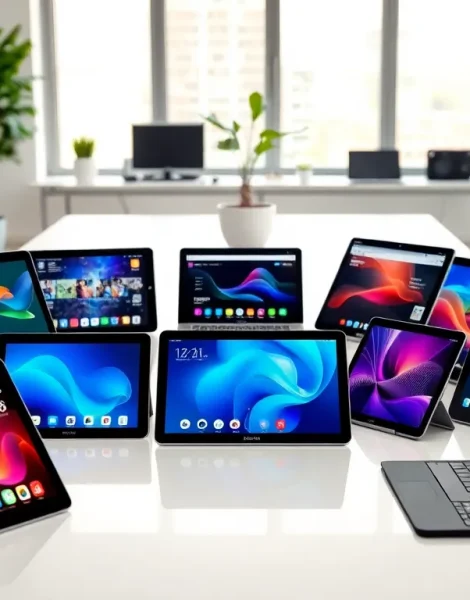
Finding the best tablets in 2025 requires knowing what matters most. Some buyers want raw power for creative work. Others need affordable options for everyday tasks. Many prioritize large screens and speakers for streaming movies and shows.
This guide covers the best tablets across different categories. It includes premium devices, budget picks, and entertainment-focused options. Readers will also find practical tips for choosing the right tablet based on their specific needs and budget.
Table of Contents
ToggleKey Takeaways
- The best tablets in 2025 range from $139 budget options to $1,299 premium devices, so define your budget and primary use case before buying.
- Premium tablets like the iPad Pro (M4) and Samsung Galaxy Tab S9 Ultra deliver laptop-level performance for creative professionals and power users.
- Budget tablets under $400, such as the iPad 10th Generation ($349) and Samsung Galaxy Tab A9+ ($219), handle everyday tasks like streaming, browsing, and note-taking effectively.
- For entertainment, prioritize OLED displays for superior contrast and four-speaker audio for immersive sound without headphones.
- Choose your tablet based on ecosystem compatibility—iPhone users benefit from iPad integration, while Android phone users may prefer Samsung tablets.
- Aim for at least 128GB of storage in 2025, and consider Samsung or Amazon tablets if you need microSD expansion since iPads don’t offer it.
Top Premium Tablets for Power Users
Power users demand fast processors, ample storage, and professional-grade features. The best tablets in this category deliver laptop-level performance in a portable form factor.
Apple iPad Pro (M4)
The 2024 iPad Pro remains a top choice heading into 2025. Apple’s M4 chip handles video editing, 3D rendering, and heavy multitasking without lag. The 13-inch model features a stunning OLED display with ProMotion technology. Battery life extends to 10 hours of typical use.
Pricing starts at $1,099 for the 11-inch version. The larger 13-inch model costs $1,299. Both support the Apple Pencil Pro and Magic Keyboard accessories.
Samsung Galaxy Tab S9 Ultra
Samsung’s flagship tablet competes directly with the iPad Pro. It features a massive 14.6-inch Dynamic AMOLED 2X display. The Snapdragon 8 Gen 2 processor powers Android apps and Samsung DeX desktop mode.
The Tab S9 Ultra includes an S Pen in the box, no extra purchase required. Storage options range from 256GB to 1TB. Pricing starts at $1,199.
Microsoft Surface Pro 10
The Surface Pro 10 runs full Windows 11, making it ideal for professionals who need desktop software. Intel Core Ultra processors provide solid performance for Office apps, coding, and light creative work.
The detachable keyboard turns it into a proper laptop replacement. Starting price is $1,099 for the base configuration. Users should budget extra for the Type Cover keyboard and Surface Pen.
These premium tablets cost more upfront but last several years. They handle demanding tasks that cheaper devices simply can’t manage.
Best Budget-Friendly Tablets
Not everyone needs flagship specs. The best tablets under $400 handle web browsing, video calls, note-taking, and streaming perfectly well.
Apple iPad (10th Generation)
Apple’s base iPad offers excellent value at $349. The A14 Bionic chip keeps things smooth for most everyday tasks. Its 10.9-inch Liquid Retina display looks sharp and colorful.
The iPad works with the Apple Pencil (1st generation) and Magic Keyboard Folio. It runs iPadOS, giving users access to the App Store’s huge library. This tablet suits students, casual users, and anyone who wants Apple’s ecosystem without premium pricing.
Samsung Galaxy Tab A9+
Samsung’s Tab A9+ delivers solid Android performance for $219. The 11-inch LCD screen handles movies and games well. It includes a microSD card slot for expandable storage, something Apple doesn’t offer.
Battery life reaches 12 hours on a single charge. The Tab A9+ works great as a family tablet or secondary device.
Amazon Fire HD 10
Amazon’s Fire HD 10 costs just $139 during frequent sales. It runs Fire OS, which is based on Android but limited to Amazon’s app store. Performance suits streaming, reading, and light productivity.
The best tablets in Amazon’s lineup integrate deeply with Alexa voice controls. Users can manage smart home devices, shop, and control media hands-free.
Budget tablets require some compromise. Expect slower processors, less storage, and lower-quality displays compared to premium options. But for basic tasks, they get the job done.
Best Tablets for Entertainment and Media
Streaming services, gaming, and e-reading benefit from specific features. The best tablets for entertainment prioritize large displays, quality speakers, and long battery life.
iPad Pro for Video Streaming
The iPad Pro’s OLED display produces deep blacks and vibrant colors. HDR content from Netflix, Disney+, and Apple TV+ looks stunning. Four-speaker audio creates immersive sound without headphones.
OLED technology means each pixel produces its own light. Dark scenes in movies appear truly dark, not washed-out gray. This matters for serious movie watchers.
Samsung Galaxy Tab S9 FE+ for Gaming
Mobile gaming has grown significantly. The Tab S9 FE+ offers a 12.4-inch display at $529, a sweet spot for gamers who want big screens without flagship prices.
The 90Hz refresh rate provides smoother gameplay than standard 60Hz panels. Games like Call of Duty Mobile and Genshin Impact run well. The included S Pen adds value for puzzle games and drawing apps.
Lenovo Tab P12 Pro for Mixed Use
Lenovo’s P12 Pro balances entertainment and productivity. The 12.6-inch AMOLED display supports Dolby Vision. JBL-tuned speakers deliver impressive audio for a tablet.
At $499, it undercuts both Apple and Samsung premium options. The included keyboard and pen make it a capable work device too.
Amazon Kindle Scribe for Reading
Readers who want a larger e-ink experience should consider the Kindle Scribe. Its 10.2-inch display won’t strain eyes during long reading sessions. The stylus lets users annotate books and take handwritten notes.
E-ink differs from standard tablets, no color, no video. But for dedicated readers, the best tablets for that purpose use this eye-friendly technology.
How to Choose the Right Tablet for You
Selecting from the best tablets requires honest assessment of usage patterns. Here’s how to narrow down the options.
Define Primary Use Cases
Ask what the tablet will do most often. Content consumers who mostly stream video and browse social media don’t need $1,000+ devices. Students taking notes and reading textbooks should prioritize stylus support. Creative professionals editing video or designing graphics need maximum processing power.
Set a Realistic Budget
Tablet prices span $100 to $2,000+. Budget buyers ($100-$300) should stick to Amazon Fire tablets or older iPad models. Mid-range buyers ($300-$700) get the best value with current-generation base iPads or Samsung Tab S FE devices. Premium buyers ($700+) can access flagship features and longer software support.
Consider the Ecosystem
iPhone owners benefit from iPad integration, shared apps, iMessage, AirDrop, and Handoff features. Android phone users might prefer Samsung tablets for similar cross-device features. Windows laptop users who need full desktop apps should consider Surface devices.
Check Display Size and Type
Portability matters. An 8-inch tablet fits in a purse or large pocket. An 11-inch model balances screen size and portability. Tablets above 12 inches suit home use more than travel.
Display technology affects visual quality. OLED panels show better contrast than LCD. Higher refresh rates (90Hz, 120Hz) make scrolling and animations smoother.
Evaluate Storage Needs
Local storage fills up fast with apps, photos, and downloaded shows. Aim for 128GB minimum in 2025. Users who store lots of media locally should consider 256GB or higher. Samsung and Amazon tablets offer microSD expansion: iPads don’t.


